
Acheter MapHub PC Key

Où acheter MapHub ? Pour le moment, le jeu n'est en vente dans aucune des boutiques que nous suivons. Cela ne veut pas dire que ce sera permanent, car les boutiques ajoutent et retirent des titres en continu et nous les vérifions chaque jour. Créez une alerte de prix et nous vous préviendrons dès qu'une boutique publiera une offre.

Date de sortie : 11 juil. 2024
Evolved Labs
Evolved Labs
Steam:
Overwhelmingly Negative (1)
Official
Indisponible
Keyshops
Indisponible
Acheter sur une boutique officielle :
Indisponible
Acheter sur les keyshops :
Indisponible

Aucune entrée, mais ne vous inquiétez pas : nous vous informerons dès qu'une nouvelle offre apparaîtra.

Create Alert Create deal Alert

À propos de MapHub

MapHub - à propos du jeu
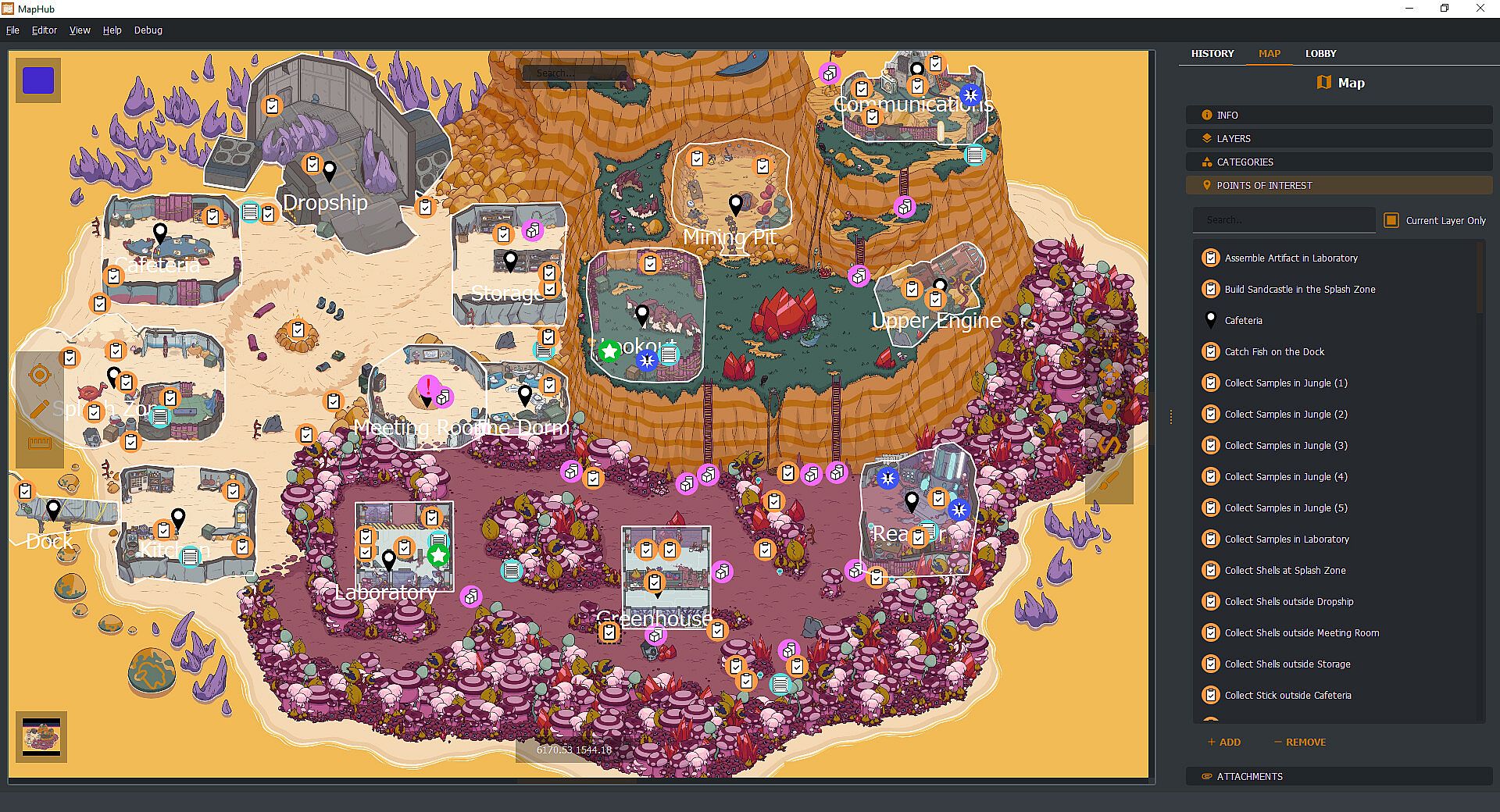
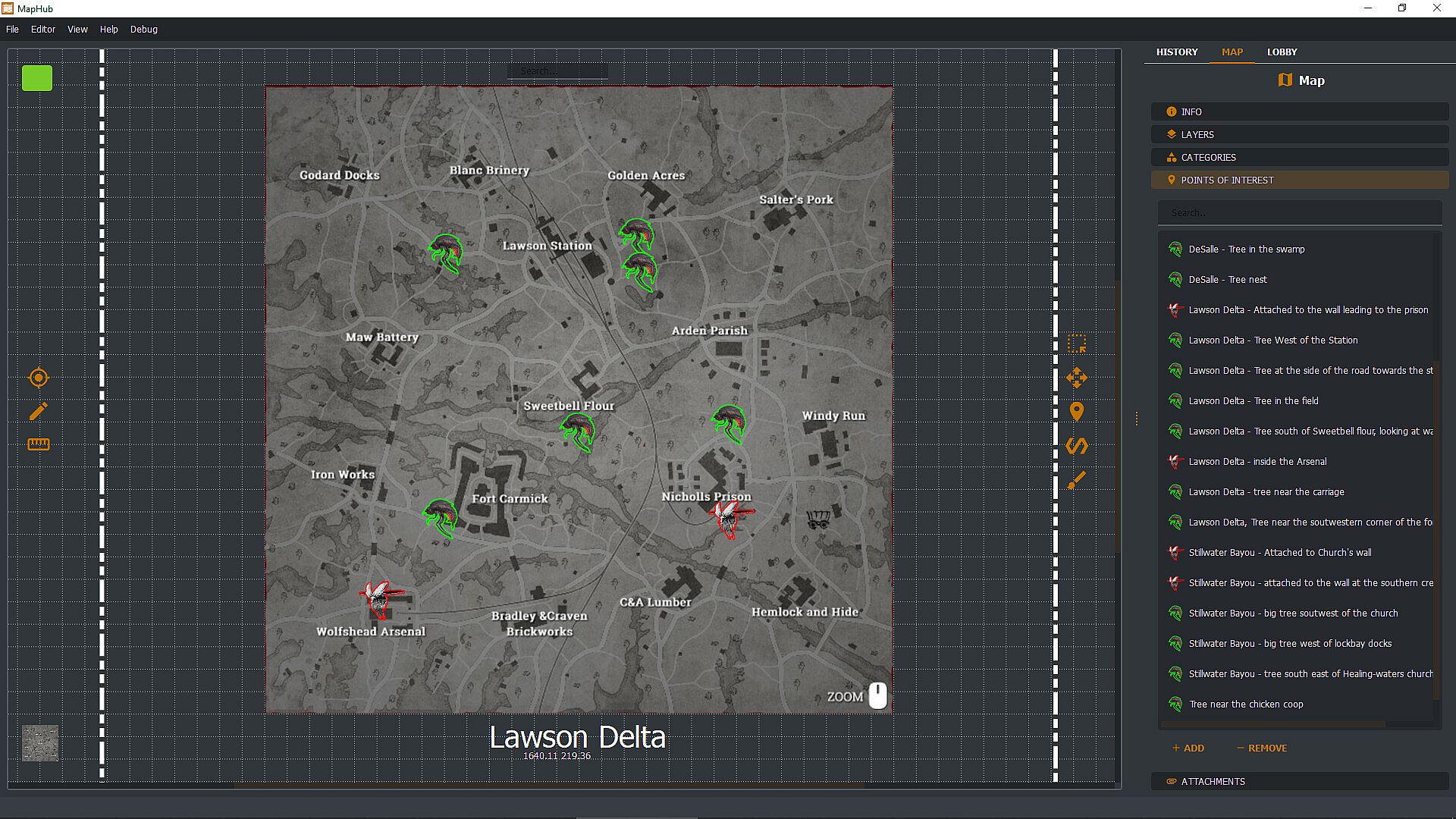
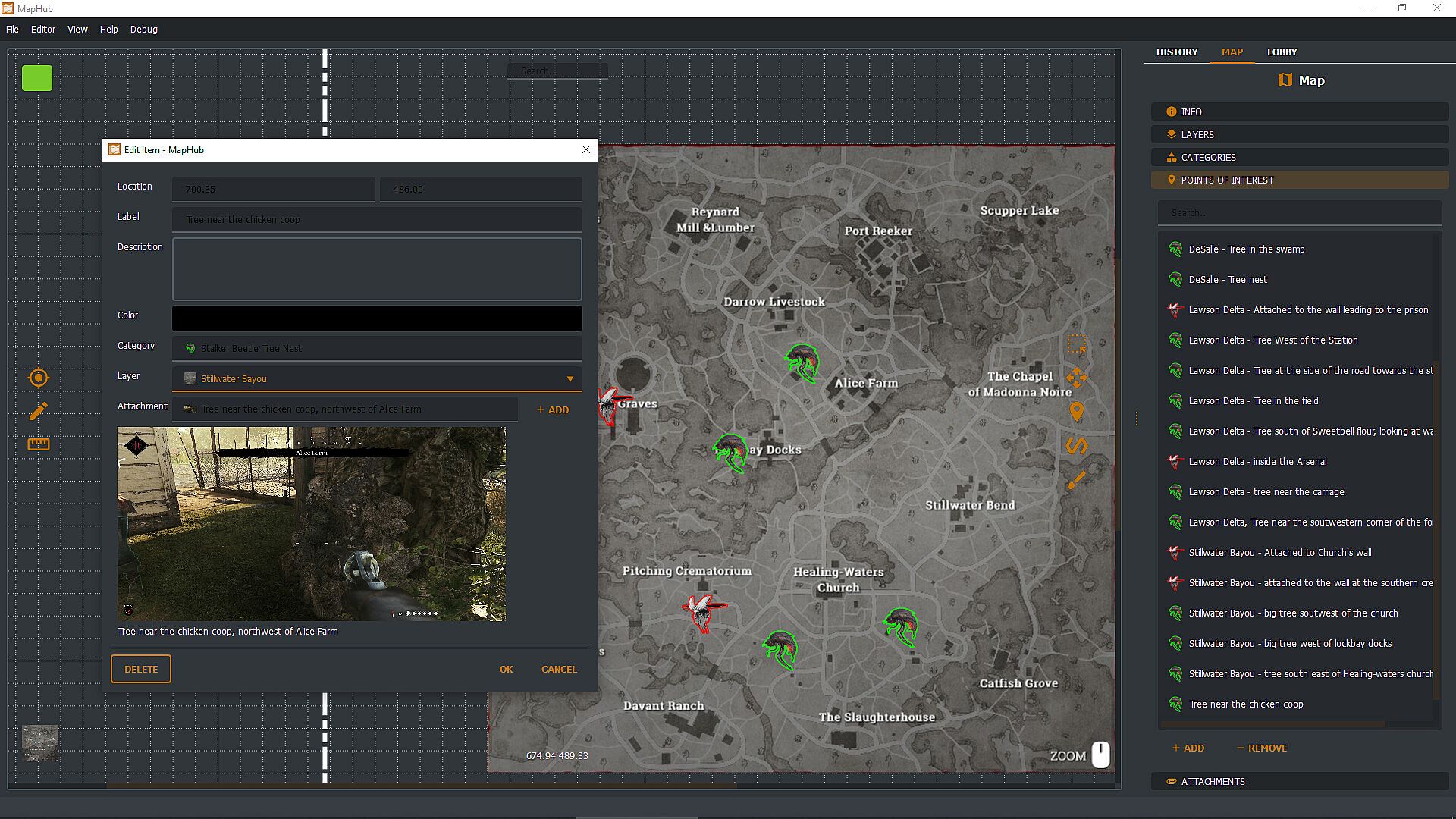
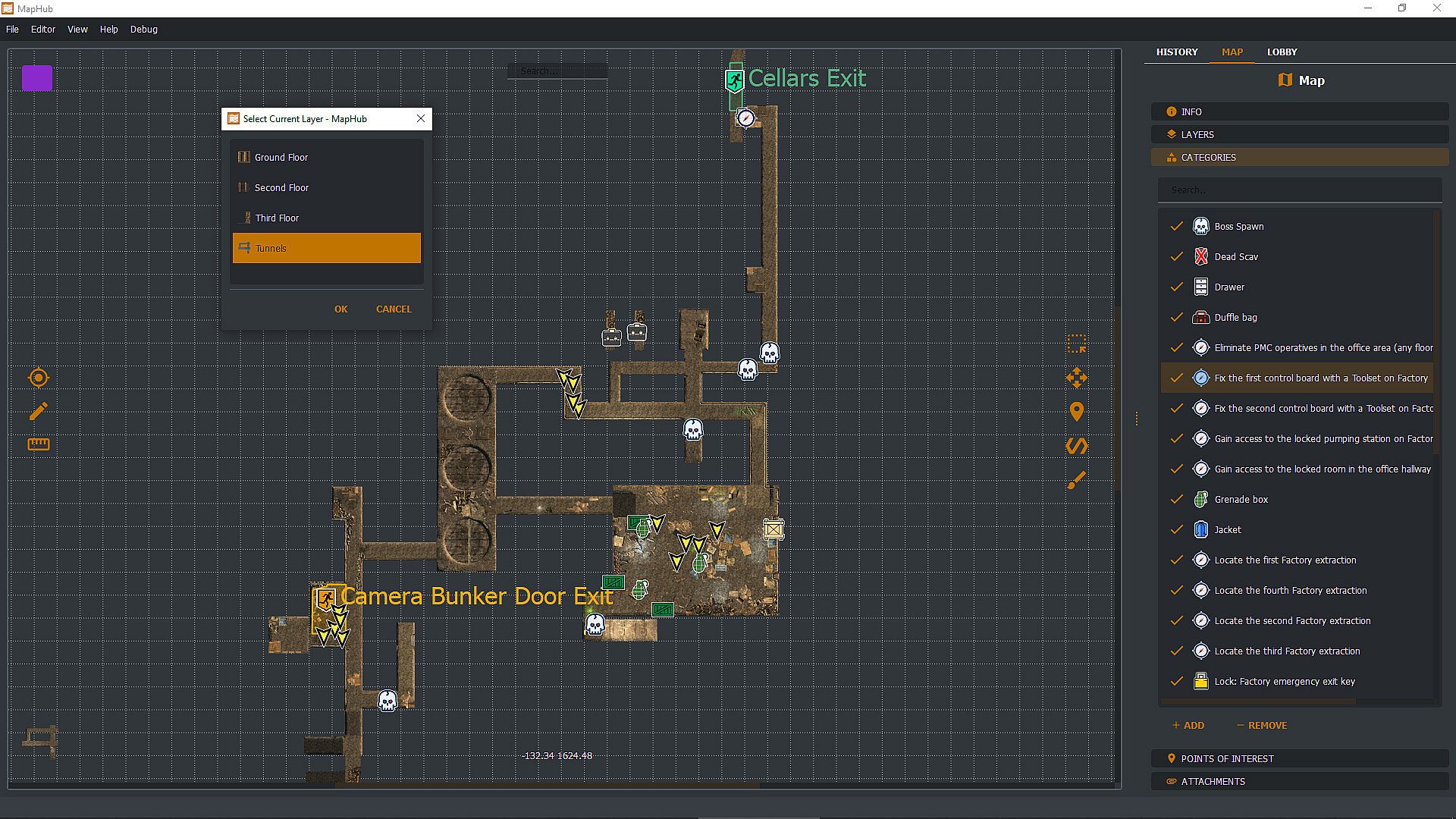
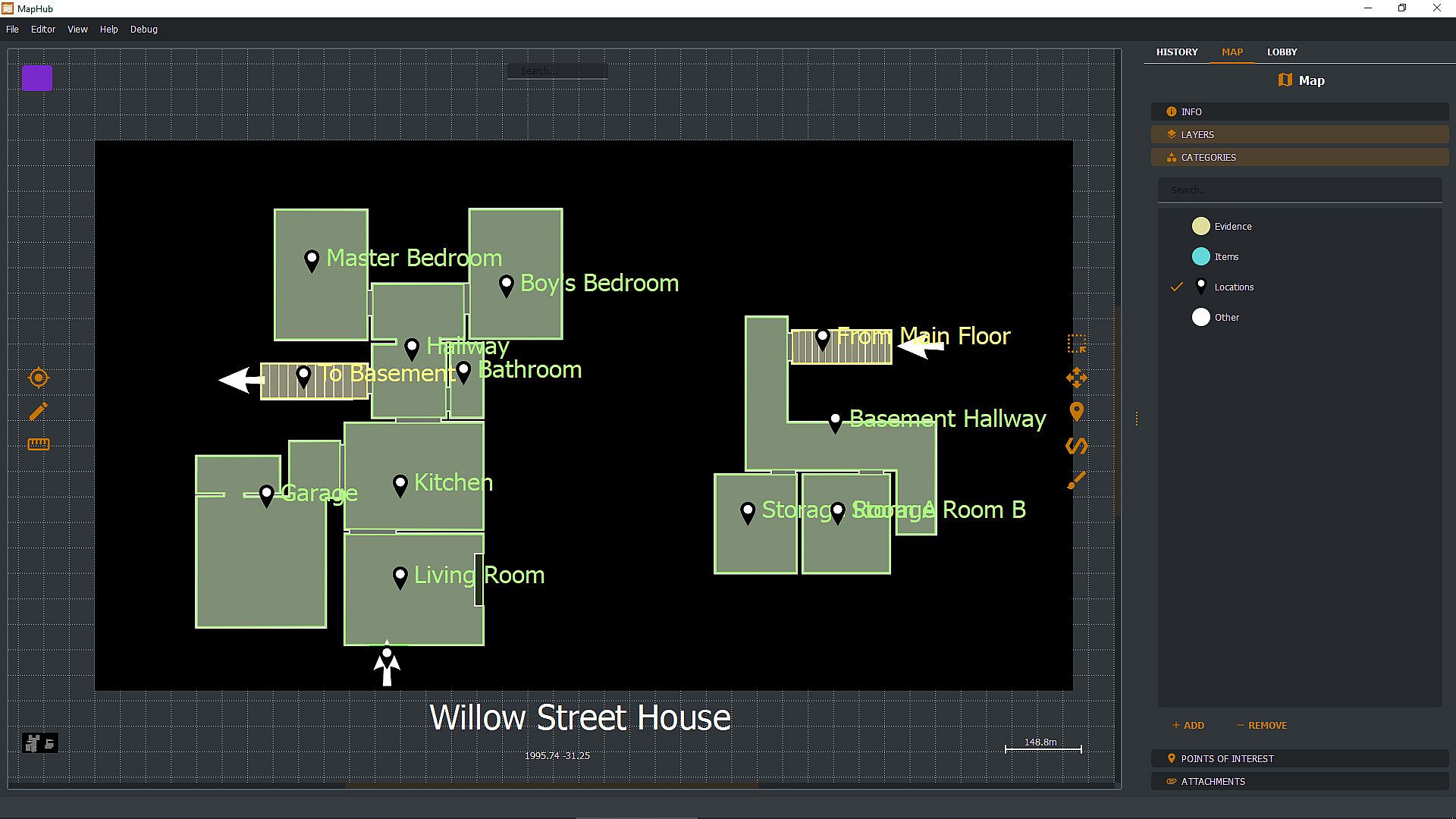
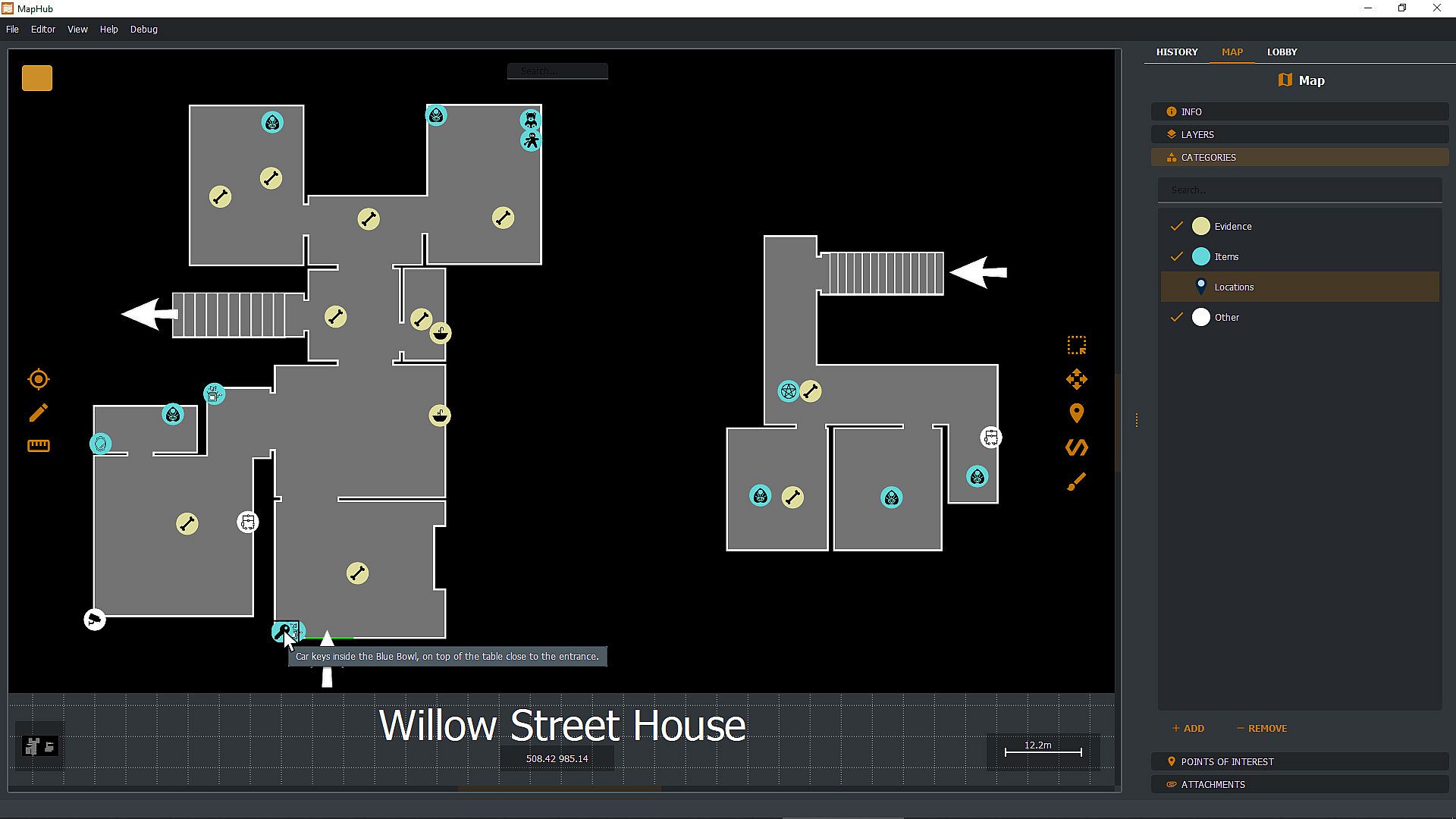
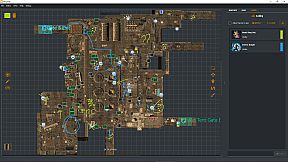
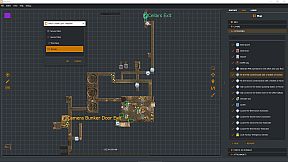
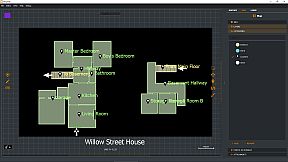
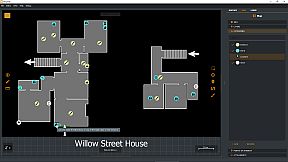
Create custom loot maps in MapHub by marking key points of interest, organizing categories, attaching screenshots, and tracking quests. Share your maps via native Steam Workshop support or browse community creations, all within a gamer-focused app. Invite Steam friends to the lobby for chat coordination and shared drawing tools to pinpoint loot spots effortlessly. Pull up maps on a second monitor or overlay them on borderless windowed games with a hotkey-ideal for dual setups. Keep maps private, friends-only, or public with automatic Steam cloud sync for seamless access across PCs. This one-time purchase utility suits multiplayer gamers who collaborate on maps without subscriptions or curated content.

With MapHub, you can create your own lootmaps with key points of interest, categories, screenshot attachments, and quest tracking and join a new and exciting community!

MapHub has been built with native Steam Workshop Support and Steam Social Features: this means that you can share your maps with the community or browse maps made by other players, all from the comfort of an application designed for gamers, by gamers.

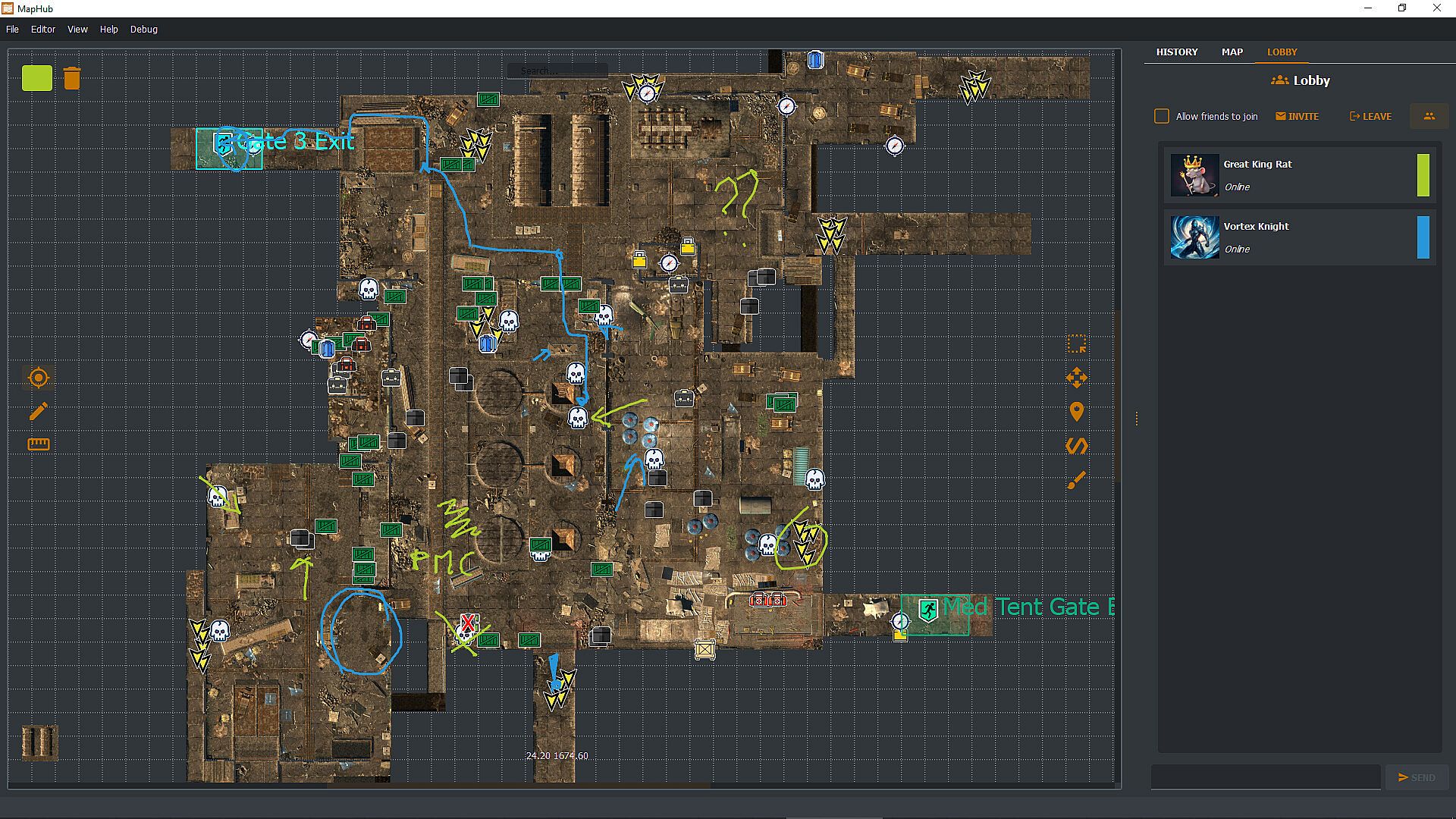
Invite your Steam friends into the MapHub lobby: coordinate with a built-in chat and shared drawing tools. Yes, your friends will draw something inappropriate, but it will be much easier to tell them where the loot is rather than screaming "There! There!" over and over. And you can draw something inappropriate too!

MapHub works better with a dual-monitor setup—one for your game, one for MapHub. However, you can also pull up and overlay any map on any other game (as long as the game is not using fullscreen mode) with a quick and simple hotkey press.
Frequently Asked Questions

Q: Is this a subscription service?
A: No! You buy a license for MapHub once, and it's yours forever. No strings attached.

Q: Do you provide curated maps?
A: No, we provide a general-purpose tool and a platform for the community to collaborate. While we have uploaded a few demo samples on the Steam Workshop, these are not part of the product itself but rather demos to get the community started. You're buying a software license, not any map or map service.

Q: Can I draw map tiles or icons inside MapHub?
A: No, you'll need to bring in such assets from a different source. You can import them as JPGs or PNGs or use our in-application tool to generate icons (but not tilemaps) from emojis or text.

Q: Can I keep my maps private, or will they be automatically published in the Steam Workshop?
A: You can set the visibility of your maps to Private, Friends Only, or Public. MapHub will automatically sync the content to Steam's cloud, so you don't have to worry about losing your work when you move from one PC to another. That said, you can, of course, choose to keep all your maps private.

Q: Does MapHub's overlay work with fullscreen games?
A: A game can LOOK fullscreen, but internally, it might be using the "real" fullscreen mode offered by the Windows Operating System, or it might "fake it" using a borderless window mode. MapHub's overlay will work only in the latter case: without getting too technical, taking over draw calls of another executable might be considered a cheat by some anti-cheating software, and for this reason, our philosophy is to be unobtrusive, so a "real" fullscreen overlay won't work. MapHub doesn't give you any unfair advantage, as you can alt-tab or use a second monitor to view any map without MapHub. The drawback is that we cannot offer you an overlay over fullscreen games. MapHub works better on a dual-screen setup or by simply alt-tabbing a borderless windowed game. Always check your game's options to see if they offer a borderless windowed mode—most of them do.

Q: Can MapHub work without Steam?
A: No, the nature of the Steam Workshop API and Steam Lobby makes MapHub a Steam exclusive. We do not have plans to make a version stripped of such features.
Interface:
GermanEnglishSpanish - SpainFrenchItalianJapanesePortuguese - PortugalPortuguese - BrazilRussianUkrainian

Classification par âge

Indisponible
Steam:
Overwhelmingly Negative (1)

Minimum :

  • Système d'exploitation: Windows 10 64 bit
  • Processeur: If you can run windows you can run MapHub
  • Graphismes: Overlay requires borderless window mode.

Recommandé :

  • Système d'exploitation: Windows 11 64bit
  • Processeur: If you can run windows you can run MapHub
  • Graphismes: Overlay requires borderless window mode.
Plus bas historique
Historique des prix des boutiques officielles
3,19 €
Steam
il y a 1 mois
Historique des prix des keyshops
-
-
-

FAQ

8 questions

Avant de chercher une clé PC MapHub pas chère, vérifiez l'essentiel. Développé par Evolved Labs. Publié par Evolved Labs. Date de sortie PC : 11 juil. 2024. Genres : Early Access, Utilities. Catégories : Steam Workshop.

Q

Où acheter une clé Steam ou CD Key MapHub pas chère ?

Il n'y a actuellement aucune offre active pour MapHub. Créez une alerte de prix sur XD.deals et nous vous notifierons dès qu'une offre sera disponible.

Nous n'avons pas de prix Steam Store actuel pour MapHub. Le jeu est peut-être temporairement indisponible ou pas encore listé sur Steam.

Notre traqueur de prix couvre les revendeurs officiels et les keyshops, vous pouvez donc trouver MapHub en promotion même en dehors des périodes de soldes. Nous détectons actuellement 0 offres actives provenant de boutiques officielles et de keyshops. Consultez le tableau ci-dessus, comparez avec le prix le plus bas historique et créez une alerte pour ne jamais manquer la prochaine baisse de prix.

D'après nos données, MapHub n'est pas actuellement disponible sur GeForce NOW. Vous devrez le lancer localement sur votre PC. Parcourez les jeux disponibles sur GeForce NOW.

Oui. MapHub a une page officielle sur le Steam Store, mais nous ne suivons actuellement aucune offre tierce avec DRM Steam. Revenez plus tard ou créez une alerte de prix.

Pas pour le moment. Valve classe MapHub comme non supporté sur Steam Deck. Gardez un œil sur XD.deals - nous suivons les mises à jour Proton et les correctifs de la communauté. Parcourez les jeux Steam Deck Verified ou Steam Deck Playable.

D'après nos données, MapHub n'est actuellement disponible ni sur PC Game Pass, ni sur EA Play, ni sur Ubisoft+. Nous complétons encore les catalogues de ces services, vérifiez donc le statut à la source avant de décider. Si vous achetez, XD.deals vous aidera à trouver le prix le plus bas.

Non - XD.deals n'est pas une boutique. Nous sommes un comparateur de prix qui suit les meilleures offres pour MapHub sur les boutiques officielles et les keyshops vérifiés. Cliquez sur "Voir l'offre" a cote de n'importe quelle offre et vous serez redirige vers le site du revendeur pour finaliser votre achat.

Vous voulez acheter au meilleur moment ? Créez une alerte de prix sur XD.deals et soyez notifié quand MapHub atteint son prochain prix le plus bas historique.

Créer une alerte
Rejoignez notre Discord
Obtenez de l'aide instantanée de notre communauté et restez à jour sur les dernières offres
Définir des alertes de prix
Recevez une notification par e-mail lorsque le prix d'un jeu atteint votre objectif
Créer un compte gratuit
Débloquez les listes de souhaits, alertes de prix et la synchro Steam